Front End vs Back End Illustration: Web Development Architecture and Workflow Explained
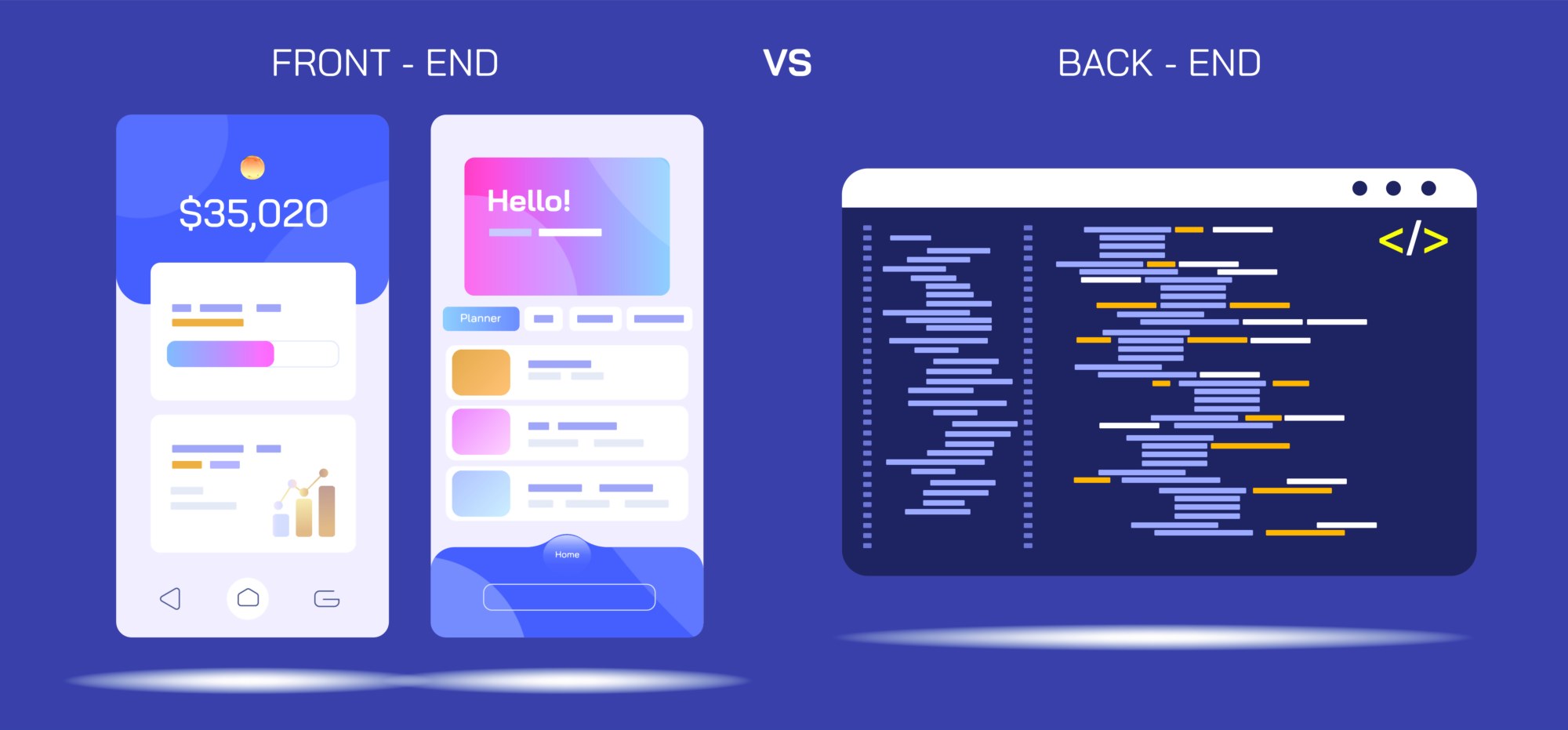
In web development, the distinction between the front end and the back end represents the two major layers of a modern website or web application, and an illustration comparing them visually bridges the gap between what users see and the deeper processes that allow everything to function seamlessly. While a webpage may look simple on the surface—buttons, images, forms, text, menus, animations—every visible component depends on underlying infrastructure that processes data, communicates securely, executes logic, and stores information. A clear architectural diagram makes this layered relationship intuitive: the front end is the user-facing interface where interactions occur, and the back end is the server-side system that powers those interactions behind the scenes. Together, they form a continuous loop: the user takes an action on the front end, the back end receives and processes that request, and the front end displays the results.
A front end illustration typically highlights what runs in the user’s browser. The core technologies—HTML, CSS, and JavaScript—define structure, styling, and interactivity. HTML provides the layout and content skeleton; CSS shapes the visual appearance through layout grids, colors, typography, spacing, and animations; and JavaScript brings functionality, enabling dynamic changes such as updating content without refreshing the page, validating form inputs, and responding to user actions like clicks, taps, and swipes. Additional labels in diagrams may include front end frameworks and libraries such as React, Angular, Vue, Svelte, Bootstrap, or Tailwind CSS, which streamline building dynamic user interfaces and reusable design components. Illustrations of the front end often display interface elements—buttons, dropdowns, forms, tables, carousels, dashboards—to show that everything users directly interact with belongs to this client-side layer.
On the opposite side of the illustration sits the back end, which operates on servers rather than in the browser. The back end handles data processing, business logic, authentication, authorization, server responses, and database communication. Core technologies associated with this layer include server-side languages and frameworks such as Node.js, Python (Django/Flask), PHP (Laravel), Ruby on Rails, Java (Spring), .NET, or Go. Back end diagrams frequently include databases—both relational systems like MySQL and PostgreSQL and NoSQL systems like MongoDB or Redis—because persistent storage is essential for anything involving user accounts, payments, profiles, products, posts, messages, or analytics. API layers such as REST or GraphQL often appear bridging the front end and back end, functioning as the structured communication channel that transfers data between the browser and server.
A workflow illustration comparing the two layers typically follows the cycle of a user action. Clicking a login button on the front end initiates a request, which travels through the internet to the back end. The server receives this request, checks the database for matching credentials, applies encryption and security verification, and returns a response. The browser then renders the new state—perhaps a dashboard, an error alert, or personalized content—depending on the server’s output. This loop demonstrates how the front end focuses on presentation and user experience, while the back end manages logic and data integrity. The user never sees the complexity of the back end, but every interaction depends on it.
Many illustrations include an additional middle layer: the server environment or hosting infrastructure. This includes services such as cloud servers (AWS, Azure, Google Cloud), Linux hosting environments, containerized deployments using Docker or Kubernetes, web servers like Apache or Nginx, and authentication services like OAuth or JWT. This infrastructure ensures that the back end is accessible, scalable, and secure. It manages load balancing, caching, routing traffic, and running the application around the clock. These diagrams emphasize that the back end is not just code—it requires hardware and platform support that keeps applications available to users globally.
Another useful diagrammatic comparison highlights performance and optimization responsibilities. Front end optimization includes minimizing load time by reducing image sizes, compressing assets, removing unused CSS or JavaScript, implementing caching, and ensuring responsive design across devices. Back end optimization focuses on database indexing, query efficiency, concurrency management, caching strategies, API rate limiting, and server scaling during high-traffic periods. When these factors are visualized side by side, it becomes clear that speed and efficiency rely on both ends working in harmony.
Illustrations also differentiate security responsibilities between layers. The front end protects users through secure input validation, safe form handling, and proper user session controls. The back end is responsible for preventing attacks such as SQL injection, cross-site scripting, CSRF, brute-force authentication attempts, and unauthorized data access. Authentication and authorization diagrams typically show the front end collecting credentials but the back end verifying them, issuing secure tokens, and storing passwords in encrypted form—highlighting that sensitive operations occur on the server.
Another dimension often included in modern diagrams is full-stack integration, showing that the front end and back end are not isolated silos but components of a larger architecture working together. Full-stack developers are illustrated spanning both domains, comfortable working with UI and UX tools as well as databases and server logic. Full-stack frameworks like Next.js or Nuxt.js blur the line further by enabling both server-rendered and client-rendered content in a unified system, combining front end and back end operations to improve performance and SEO.
Beyond single applications, architectural illustrations sometimes map out microservices, serverless functions, and headless architecture. Microservices divide the back end into distributed specialized services. Serverless computing runs back end code on demand rather than continuously on a dedicated server. Headless architecture decouples the front end from the back end by using APIs to deliver raw data to a separately designed interface. These models evolve from the traditional front end vs. back end divide, showing that workflow boundaries may shift as applications become more complex and scalable.
Ultimately, an illustration comparing the front end and back end serves as a bridge between user experience and computational logic. It makes it clear that visually engaging and intuitive web design relies on deep systems that manage data, security, scalability, and performance. The two sides are not competitors but partners—one shaping what users directly experience, the other ensuring those experiences are meaningful and functional. When seen side by side in a visual diagram, the architecture of web development becomes easier to understand: the front end communicates outward to people, while the back end communicates inward to machines, and together they form the full loop that powers the modern digital world.